
VaasthuSuite Mobile · Site execution

The site operation.
In every pocket.

Daily reports, workforce, safety, quality, tasks, approvals and materials — captured where the work happens and synced to the boardroom.

Start every shift knowing what matters.

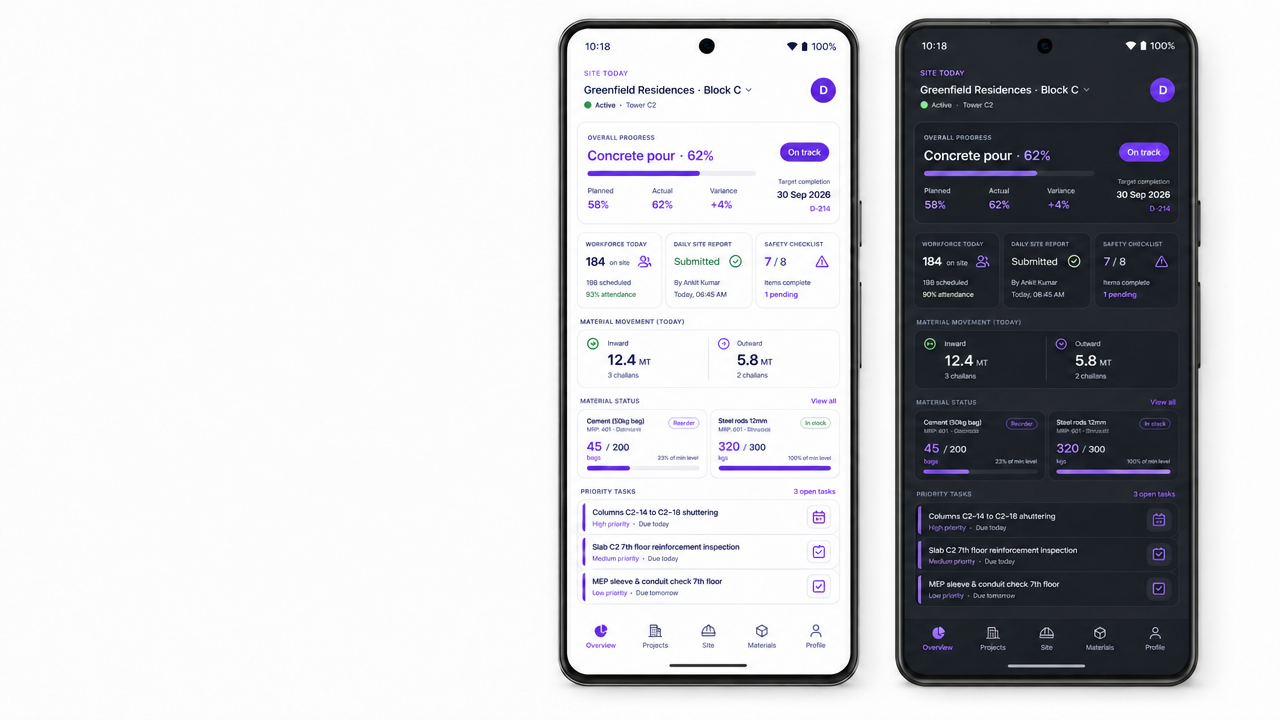
The home view turns the day into one clear operating brief: progress against plan, workforce present, safety actions, material movement, low stock and priority tasks.

  • Today’s progress, target date and variance
  • Workforce attendance and Daily Site Report status
  • Safety checklist and pending corrective actions
  • Material inward, outward, stock and reorder alerts
VaasthuSuite Mobile light and dark mode site dashboards shown on mobile devices
One live site view · Light and dark modes

One app. Five role-specific views. No one carries the whole ERP in their pocket — only the work they need today.

Engineer, project manager, storekeeper, director and contractor views share one live data layer with VaasthuSuite Web.

Construction site engineer completing a VaasthuSuite Mobile daily site report on an iPhone

Filed on site.
Visible everywhere.

Engineers record progress while the details are still fresh. The office sees the same report without waiting for a spreadsheet, photo dump or end-of-week call.

  • Weather, labour, work completed and blockers
  • Equipment, materials and planned activities
  • Geo-tagged photo evidence and comments
  • Review, approval and complete audit history
See how Web receives it

Everyone on site. Every commitment accounted for.

Attendance, skill, assigned work and completion status stay tied to the project record — so today’s workforce becomes tomorrow’s true labour cost and progress update.

AttendancePresent · Absent · Half-day
Work allocationTasks · Owners · Due dates
Site evidencePhotos · Notes · Completion
EscalationPriority · Blocker · Approval
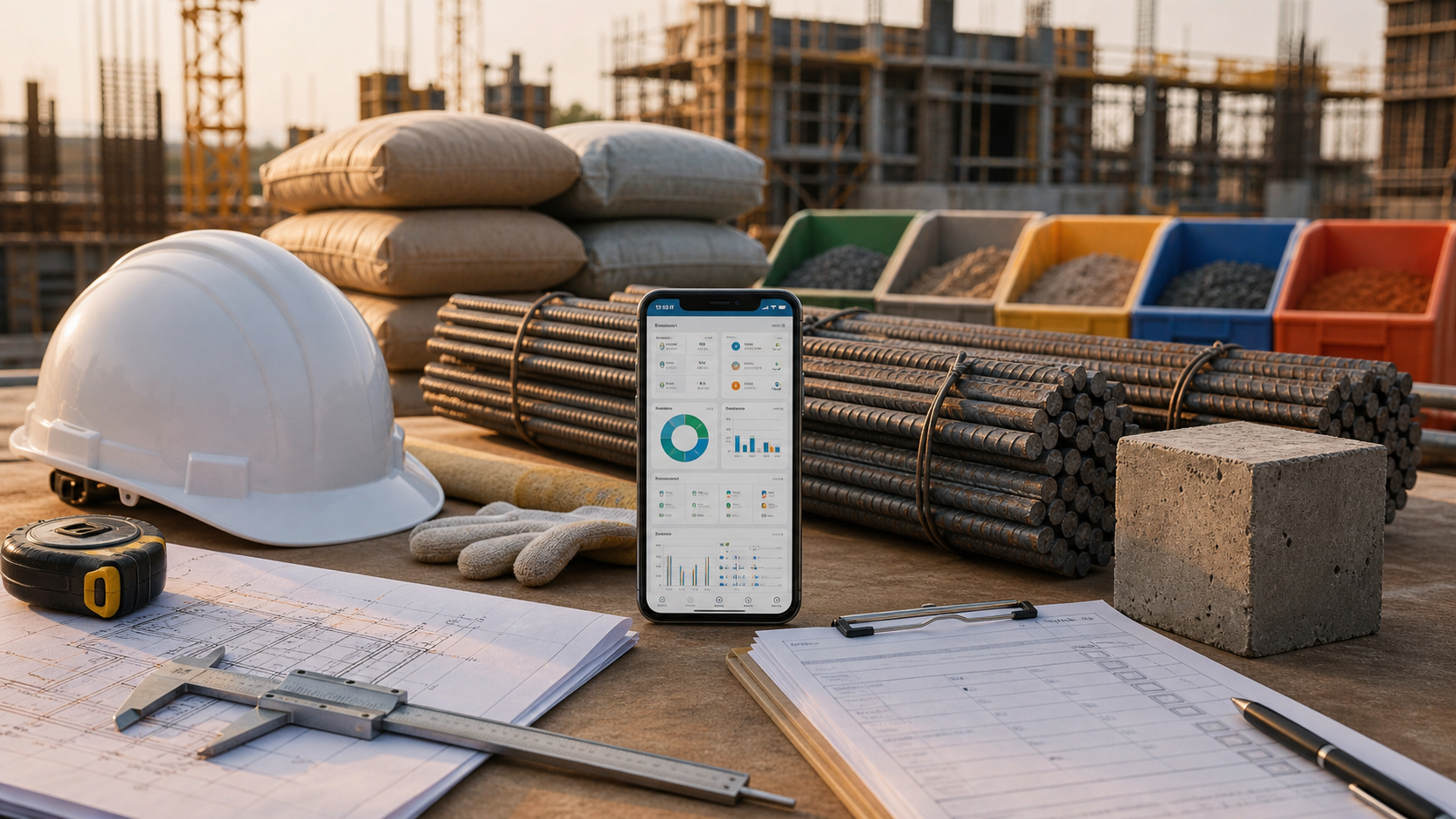
VaasthuSuite Mobile supporting material controls and quality checks at an active construction site

Request it.
Receive it.
Trace it.

Raise a material request from the workface, receive deliveries against the order, and record every inward, outward, return and wastage event from the store.

  • Material requests connected to project and task
  • Goods receipt with quantity and delivery evidence
  • Warehouse and site-level stock visibility
  • Low-stock and reorder notifications

Close the loop, not just the checklist.

Run inspections, record findings, assign corrective action, attach proof, and close only after the responsible reviewer signs off.

  • Daily safety checks and incident reports
  • Quality inspections by work package
  • Corrective actions with owner and deadline
  • Photo evidence and reviewer sign-off

Site action reaches the people who can unblock it.

Decide without returning to a desk.

Project managers and directors review PRs, expenses, GRNs and exceptions from one focused queue.

  • Value, project and supporting document in context
  • Approve, reject or return with a comment
  • High-value and urgent decisions prioritised

Clear scope. Clear progress. Fewer disputes.

Contractors see assigned work, required evidence, accepted quantities and pending action without gaining access to the wider company system.

  • Assigned tasks and work packages
  • Progress updates with evidence
  • Inspection and approval status

Six workflows. One calm daily rhythm.

The app is designed for fast entry, clear decisions and real site conditions — not desktop screens squeezed onto a phone.

01

Daily Site Reports.

Progress, labour, materials, equipment, weather, blockers and photos in one structured report.

02

Attendance and workforce.

Daily status, gangs, skills and site deployment captured where supervisors already work.

03

Tasks and progress.

See today’s priorities, update completion and connect real execution back to the schedule.

04

Safety and quality.

Inspections, incidents, findings, corrective actions, evidence and sign-off in one trail.

05

Materials and stores.

Requests, receipts, stock movement, low-stock alerts and consumption at the point of use.

06

Approvals and alerts.

The decisions that stop work surface first, with the context required to act immediately.

The right view for every person on the project.

Role-based access keeps each workspace focused while every update remains connected to VaasthuSuite Web.

ENG

Site engineer

DSR, tasks, progress, safety, quality, photos and material requests.

PM

Project manager

Daily progress, blockers, assignments, inspections and approvals.

STORE

Storekeeper

Receipts, stock, inward, outward, returns, wastage and reorder alerts.

DIR

Director

Portfolio KPIs, finance snapshots, site risks and high-value approvals.

CON

Contractor

Assigned scope, progress evidence, inspection status and pending action.

OFF

Offline ready

Queue actions without signal and sync automatically when connectivity returns.

Signal optional.
Traceability isn't.

Actions queue locally when the network drops and sync as soon as signal returns. The site keeps moving, and the audit trail stays complete.

Before your first site rollout.

Who is VaasthuSuite Mobile designed for?

Site engineers, project managers, storekeepers, directors and contractors each receive a focused role-based view.

Does the app work without reliable signal?

Yes. Supported actions queue locally while offline and sync automatically when connectivity returns.

Does mobile data appear in VaasthuSuite Web?

Yes. Both products share the same operating data layer, permissions and audit trail.

Can access be limited for contractors?

Yes. Contractors can be restricted to their assigned tasks, required evidence and relevant inspection status.

One active site.
One focused demo.
Every role connected.

Bring a current project and the people who run it. We will show how work moves from site capture to management action.

Book a demo